About the website
Click on the menu below to find out more about how the website and the app work, check our privacy policy or see the terms and conditions of use.
HOW DOES AboutMyJourney WORK?
The route pages on this website allow you to track your journey on a map. Icons on the map indicate places of interest, and you simply click or tap an icon to read some information about it.
First, choose your route using the map or buttons on the “The Train Routes” page. This will take you to a more detailed map that will show the places on your route (they may not be visible until you click the tracking button – see below). The map is zoomable, and can be expanded to full-screen mode.
Next, check your direction of travel. The map displayed assumes that you are travelling in the direction indicated by the route summary above it. If you are travelling in the opposite direction click the “Change Direction” button to display a different version of the map; it will look the same, but the descriptions associated with the icons may be different. Note also that “left” and “right” in the descriptions assume that you are facing forwards!
Finally, click the  button to start tracking your position as you move. This will start to find your location based either on GPS or on the location of the mobile network cell masts that your device is connected to. If this does not track smoothly or does not update regularly, click the
  button to force your device to use GPS if it is not already doing do..
If GPS stops working when you are in a remote area and have no mobile signal (for example in a long tunnel) you may need to use the and buttons to re-start the tracking process.
Tracking your journey on the maps does require a network connection, as new areas of map will need to be downloaded and created as you travel. You may wish to use on-board wi-fi instead of your own network connection to avoid using your data allowance. If you zoom in to a very large scale on the map, your location will reach the edge quite quickly and the map will need new data to update more frequently. If you are in a remote area where both your mobile device and the train’s wi-fi lose their network connections, then map updates may stop; they should resume once a connection is available again.
GEOLOCATION AND GPS
Most mobile devices incorporate a geolocation capability, and the maps in these pages make use of this to find and display your location as you move. There are two different ways in which this works.
The first is GPS, which uses signals from the network of Global Positioning satellites to calculate your position to within a few metres. To get a fix on your location, your device must be able to receive signals from a minimum of four satellites, and preferably more. In the open air, this is almost always the case. However, the signals are very weak by the time they reach you from satellites thousands of miles away (they orbit the earth at a height of around 20,000 km – 12,000 miles). The metal body of a train carriage, as well as cuttings and tall buildings (and, of course, tunnels) can block out signals, so that sometimes there might not be enough for GPS to operate. Also, note that GPS can take some time (it can be a minute or more) to find where you are when you first switch on your device.
The second is based on mobile network mast locations and is less accurate. If you have signals from several masts at the same time, accuracy can be quite good, but if only one is available, possibly several kilometres away from you, your location may appear to jump from place to place as your device is handed over from one mobile mast to another, giving rise to rather odd looking behaviour as you follow your location on a map!
Clicking the will start location tracking. Most newer devices will use GPS if they can, and only try mast based location if they can’t get a GPS fix, but this is not always the case; some may default to mast based tracking. If this happens, and your location does not appear to be tracking smoothly, tap button to start GPS. If this still does not track smoothly, it probably means that your device cannot receive an adequate GPS signal.
If GPS stops working when you are in a remote area and have no mobile signal, then location tracking will stop altogether. Unfortunately, this is a problem that can only be fixed by train designers or mobile network operators, not website and app developers! If it does occur for a prolonged period (2 minutes or more), you may need to use the and buttons to re-start the tracking process.
Because GPS needs a high receiver sensitivity and performs a lot of calculation, it does use up your battery charge faster than other applications.
PRIVACY POLICY
The website will only use your position to update its own map displays. The app will only use your GPS/geolocation position to track your location and identify when you are near one of the places along the route. The app and the website do not store your location information or send it to us or to anyone or anywhere else.
The app stores data on your mobile device about the route and places along it and to manage your app settings, but does not write to or read from your device’s storage for any other reason.
If you send us ideas or comments, we will not e-mail you (except perhaps just a ‘thank you’) unless you have asked us to or if we need to ask you for clarification or more information. We will never divulge your e-mail address to anyone else or use it for any other purpose.
Neither the app nor this website has any access to any other personal data.
This website does not use cookies.
CONDITIONS OF USE
AboutMyJourney and its associated data may be downloaded and used for personal use only. It may not be used for any commercial purpose. It may not be copied, distributed or incorporated into other apps or websites. (However, other websites may contain links to aboutmyjourney.com.)
The author of the app has tested the software but makes no guarantees that it will work with any particular Android software build, smartphone or tablet.
The author has researched the text and photographs describing places on the routes carefully but makes no guarantees regarding their accuracy.
Although many images are reproduced under creative commons licence, the use of an image in the app or this website does not imply that there are no copyright restrictions on its use; see “Image Sources” for further information. Copyright exists on all text.
By using the website or installing the app software you agree that:
1. The app and website may use your GPS/geolocation position (No GPS location information or data from your device is ever sent to any website or other device).
2. If you use the app, it may write route and location data to your device’s storage and read it again
3. The authors accept no liability for any impact the app may have on any device on which it is installed, including other apps or software.
4. The authors accept no liability for any inaccuracies in the text and image data that is displayed.
5. You will not copy or modify the app in any way.
6. You will not operate the app or view the website yourself while driving a vehicle.
SOME RAILWAY WEBSITES
The Man in Seat 61
Information about the practicalities and pleasures of rail travel throughout the UK, Europe and the world.
National Rail Enquiries
Train times, fares and live running information for England, Scotland and Wales
Deutsche Bahn – Travel Service
Train times for the whole of Europe
trainline
Train times and fares for Britain and major European routes, information about the journeys and lots of help finding and buying the best tickets
Rail Map online – UK & Ireland
Map of all the railways and tramways that have ever existed in Britain and Ireland (Let them know if you know of any others!)
Disused Stations
Information about, and photographs of, disused stations in the UK – find out about the closed stations that you pass through!
OpenTrainTimes
One for the enthusiast. Real time running information for UK trains, and the location of every train on track diagrams for much of the network. Great for finding out which platform your train will leave from before it’s on the departure board!
Signalbox
A map of the UK showing every passenger train on the network. Click on the train symbol to find out where it has come from, where it is going and how well it is running.
THE AboutMyJourney APP
Android users can download an app that will track your journey and tell you about the same places of interest as you approach them, without needing to watch a map on the screen. Just download the app from the Google Playstore (it is called AboutMyJourney, the same as the website).
When you open it and press START, you will see a list of all the available routes. Scroll up and down and tap to choose the route you want. If you are travelling in the opposite direction, press “CHANGE DIRECTION”. This will ensure that the left and right hand sides of the train are referred to as you see them. Then press OK. The app will now download the data about locations on the chosen route, including pictures if you have selected them in the SETUP menu.
You will then be asked to enter information about where you are sitting. First choose which way you are facing; this will ensure that “left” and “right” refer to the correct side. Then select ‘I want information about places on my left’ if you are sitting on that side and do not want information about places visible only on the right, and vice versa. Selecting ‘I want information about places on both sides’ means you will be alerted at all the places en-route.
Now press OK. The app screen will close, and you can use other features of your device. When you approach the first location, a notification will appear in your notification area, usually at the top of the screen (or pop-up may appear at the bottom of the screen if you are using an old device). You can then click READ to see the information about that place, or SKIP to dismiss the pop-up and carry on with what you were doing.
If you want to read about a place that you have already passed, or indeed about anywhere on the route, you can do so either at the start by clicking the button on the page where you start the tracking process, or alternatively by bringing up the AMJ notification (swipe down from the top or across from the side, depending on your device) and then following the link.
Clicking the red STOP button at any time will take you back to the main menu. Clicking EXIT in the main menu will terminate the app. By default, the app’s tracking system will close itself and cease to track your location one hour after the last pop-up occurs.
You can re-start the app at any time in the same way. If you have no internet connection, the app will pick up the data that you downloaded last time, and resume tracking. (Except possibly for images – see below).
The SETUP menu on the first page allows you to choose whether to download images, if they are available, to go with the description of each location. You may wish to disable this feature to save your data download allowance. Also, you can choose whether to play a sound when a pop-up appears. Note that image download my be slow using on-train wi-Fi; this is because train Wi-Fi systems use the same mobile networks as your phone for their connection into the train.
The app uses GPS to track your location, and you must have GPS enabled on your device before you start it. (NB – using GPS will use the charge in your device’s battery more quickly, so you may wish to disable it again afterwards, in case other apps use it without your knowledge).
When you open the app, you need to have either a wi-fi or mobile data connection, so that the app can download information about your route from its parent website. The information will then be downloaded and retained, so you do not need to do this at the station where you join the train. If you wish to use your own wi-fi to save your mobile data allowance, or because there is a poor mobile signal at your station, then you can start the app and choose your route at home before you leave. You can leave the app running: it will stay invisible in the background for up to an hour until you get close to the first location.
Unlike most Android apps, which remain running indefinitely until the system needs to re-use the memory they use, AboutMyJourney will automatically close itself one hour after the last location that it has found, in order to stop the use of GPS and conserve battery power. Alternatively, you can stop it completely at any time using the red STOP button.
IMAGE SOURCES
KEY:
W/ASA4 – Wikimedia Commons Creative Commons Attribution-Share Alike 4.0 International Licence
W/ASA3 – Wikimedia Commons Creative Commons Attribution-Share Alike 3.0 Unported Licence
W/ASA2 – Wikimedia Commons Creative Commons Attribution-Share Alike 2.0 Generic Licence
W/GNU – Wikimedia Commons GNU Free Documentation Licence
W/UPPD – Wikimedia Commons CC0 1.0 Universal Public Domain Dedication Licence
PEX – pexels.com attribution-free Licence
PUB – in the public domain (copyright expired)
OS – Other sources. Copyright may exist
W – Used in website maps A – Used in the app
GENERAL WEBSITE PAGES
– Woodwalton Church, Cambridgeshire, by Rob enwicki (W/GNU)
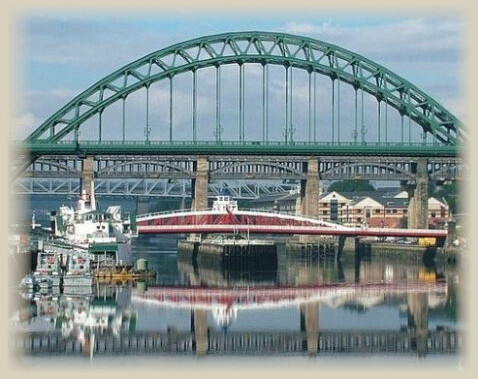
– River Tyne and bridges at Newcastle, by TagishSimon (W/GNU)
– Church Street St Mary, Sandwich, by Ployphilo (W/UPPD)
– Ribblehead Viaduct, by Michael D Beckwith (W/UPPD)
– View from train window, by Daniel Frese (PEX)
– High Speed Train in British Rail InterCity colours, by permission of Hondawanderer (OS)
– Virgin Pendolino on the West Coast main Line, by G-13114 (W/ASA3)
– Ely Cathedral from a train, by Chris Smith (W/ASA3)
MIDLANDS FROM ST PANCRAS
– St Albans Abbey, By Hilton Teper (W/ASA3) (W, A)
– Rushton Triangular Lodge, by Immanuel Giel (W/ASA3) (W, A)
– The airship R101 at Cardington, from the National Archives (OS) (W, A)
– Chesterfield church spire, by Peter Tarleton (W/ASA2) (W, A)
– Statue of Sir John Betjeman at St Pancras, by Mattbuck (W/ASA2) (W, A)
– Napsbury Hospital, by Nigel Cox (W/ASA2) (W, A)
KENT FROM ST PANCRAS
– Rochester Cathedral and Castle, by Clem Rutter (W/ASA3) (W, A)
– Dover Castle, by Robin Drayton (W/ASA2) (W, A)
– Leeds Castle, by ABrocke (W/GNU) (W,A)
– Swingate radar station, by Nilfanion (W/ASA4) (W)
– Canterbury Cathedral, by Mattana (W/ASA2) (A)
– Martello Tower, by Steve Popple (W/ASA2) (W, A)
– Deal Castle from the air, by Lieven Smits (W/GNU) (W, A)
– Church Street St Mary’s, Sandwich, by Poliphilo (W/UPPD) (W, A)
– South Eastern and Chatham Railway D class locomotive, built at Ashford in 1901, by Ben Salter (W/ASA2) (A)
– Chilham, by Nicksarebi (W/ASA2) (A)
WEST OF ENGLAND AND SOUTH WALES FROM PADDINGTON
– Maidenhead bridge, by Geof Sheppard (W/ASA4) (W, A)
– Mapledurham House, by John of Reading (W/ASA4) (W, A)
– Steventon – The Causeway, by Des Blenkinsopp (W/ASA2) (W, A)
– Uffington White Horse, by Dave Price (W/ASA2) (W, A)
– Kennet and Avon canal at Newbury, by Joolz (W/ASA2) (W, A)
– Great Bedwyn post office and stone museum, by Trish Steel (W/ASA2) (W, A)
– Crofton pumping station, by Andrew Gritt (W/ASA2) (W, A)
– Westbury white horse, by Neil Kemp (PUB) (W, A)
– River Brue at Bruton, by Sarah Smith (W/ASA2) (W, A)
– Glastonbury Tor, by Poliphilo (W/UPPD) (W, A)
– Athelney – The story of Alfred the Great and the cakes, by Joseph Martin (PUB) (W, A)
– Diggerland, by Blake Hammond (W/ASA4) (W, A)
– Summer House at Killerton Park, by Robert Powell (W/ASA3) (W, A)
– Mol’s Coffee House, Exeter, by Tomislav Medak (W/ASA2) (W, A)
– Dawlish, by Mattbuck (W/ASA3) (W, A)
– Powderham Castle, by Raymond Cocks (W/ASA2) (W, A)
– Totnes High Street, by Peter Beaven (W/ASA2) (W, A)
– Ivybridge, by Intel Free Press (W/ASA2) (W, A)
– Saltram House, Plymouth by ChilliHead (W/ASA2) (W, A)
– Royal Albert Bridge over the Tamar, by geof Sheppard (W/ASA4) (W, A)
– St German’s Viaduct and quay, by David Gearing (W/ASA2) (W, A)
– Restormel Castle, by Tom Parnell (W/ASA4) (W, A)
– St Probus church, Probus, by Rod Allday (W/ASA2) (W, A)
– Carn Brae castle, Redruth by Nilfanion (W/ASA3) (W, A)
– South Crofty Mine, by Helen Wilkinson (W/ASA2) (W, A)
– St Ives harbour, by John Jennings (W/ASA2) (W, A)
– St Michael’s Mount, by Monster4711 (W/UPPD) (W, A)
EAST COAST FROM KINGS CROSS
– Kings Cross Station, by Diliff (W/ASA3) (W, A)
– Alexandra Palace, by Hywel Williams (W/ASA2) (W, A)
– Battle of Barnet, from a 15th century Belgian manuscript (PUB) (W, A)
– Hatfield Old Palace, by Peter O’Connor (W/ASA2) (W, A)
– Knebworth House, by Casanovafly91 (W/ASA3) (W, A)
– St Neots, by Bear 1975 (W/ASA3) (W, A)
– Hinchingbrooke House, Huntingdon by Duncan Grey (W/ASA2) (W, A)
– Wood Walton church, by Rob enwiki (W/ASA3) (W, A)
– Peterborough Cathderal, by NotFromUtrecht (W/ASA3) (W, A)
– The George hotel, Stamford, by SmileyRose (W/ASA3) (W, A)
– Mallard, by PTG Dudva (W/ASA3) (W, A)
– Blue Pig inn, Grantham, by Richard Croft (W/ASA2) (W, A)
– Castle and River Trent at Newark, by Stephen McKay (W/ASA2) (W, A)
– Retford Town Hall, by Tghe-retford (W/ASA3) (W, A)
– St George’s Minster, Doncaster, by Rich@rd (PUB) (W, A)
– Sandal Castle, Wakefield, by Tim Green (W/ASA2) (W, A)
– Victoria Quarter, by Jungpionier(?) (W/ASA3) (W, A)
– Queen Adelaide’s private carriage, by Alan Wilson (W/ASA2) (W, A)
– The 18th century bridge at Croft-on-Tees, by Dr Ivan Hall (W/ASA3) (W, A)
– David Mach’s brick sculpture “The Train”, by Chris Downer (W/ASA2) (W, A)
– Durham Cathedral, by mattbuck (W/ASA4) (W, A)
– The Angel Of The North, by Askar Ibragimov (W/ASA2.5) (W, A)
– The Tyne in Newcastle, by Tagishsimon (W/ASA3) (W, A)
– Emily Davison, suffragette, from London School of Economics library (PUB) (W, A)
– Alnmouth, By BazzaDaRambler (W/ASA2) (W, A)
– Bamburgh Castle, By Scott (W/ASA2.5) (W, A)
– Lindisfarne Castle, By xlibber (W/ASA2) (W, A)
– Royal Border Bridge, Berwick upon tweed, By Phil Sangwell (W/ASA2) (W, A)
– Statue of Greyfriars Bobby, Edinburgh, By Nilfanion (W/ASA3) (W, A)
WEST COAST FROM EUSTON
– Euston – the old main hall (OS) (W, A)
– Hogwarts Great Hall at Warner Brothers Studios, by Richard Croft (W/ASA2) (W, A)
– Mentmore Towers, by Alex (W/ASA2) (W, A)
– Replica Bombe at Bletchley Park, by Antoine Taveneaux (W/ASA3) (W/A)
– Blisworth Tunnel Southern Portal, by Stephen Dawson (W/ASA3) (W, A)
– Lichfield Cathedral, by Leon Hawley (W/ASA3) (W, A)
– Shugborough Hall by Jacquiatwiki (W/ASA4) (W, A)
– Mill Meece pumping station by Roger Dean (W/ASA2) (W, A)
– Manchester Ship Canal at Warrington by Alan Murray-Rust (W/ASA2) (W. A)
– Liverpool & Manchester Railway Replica Rocket by Tony Hisgett (W/ASA2) (W, A)
– Commemorative mug for 1882 guild – Harris Museum, Preston
– Lancaster Canal at Borwick, by David Medcalf (W/ASA2) (W, A)
– Lancaster Priory and Castle, by Antiquary (W/ASA4) (W, A)
– Carnforth station refreshment room, by Deben Dave (W/PUB)
– A591 in the Lake District, by Diliff (W/ASA3) (W, A)
– Borrowbridge Roman Fort: Google Earth
– Wigan Pier, by Pam Brophy (W/ASA2) (W,A)
– Royal Scot hauling train up to Shap summit, by David Moyle (W/ASA4) (W,A)
– Carlisle castle, by Neil Boothman (W/ASA2) (W, A)
– Ecclefechan – view across Corrie Road to Burnswark, by Charlie Kennedy (W/ASA2) (W,A)
– Gretna Blacksmith’s shop, by Niki Odolphie (W/ASA2) (W, A)
– Carstairs – River Clyde: Google earth
– Liverpool Roman Catholic Cathedral, by Andrew (W/ASA2) (W, A)
– Runcorn transporter Bridge: Andy Dingley/Valentine & Sons postcard (W/PUB) (W, A)
– Beeston & Peckforton castles, by Peter Styles (W/ASA2) (W, A)
– Jodrell Bank, by Allen Watkin (W/ASA2) (W, A)
– Alderley Edge sign, by Pete Birkinshaw (W/ASA2) (W, A)
– Bottle kiln at the Gladstone Pottery Museum, by Martyn Davies (W/ASA2) (W, A)
– Wedgwood creamware plate, late 18th century, from the V&A collection (W/ASA3) (W, A)
SOUTH COAST
– A train on the Surrey Iron Railway – Early 19th century watercolour (W/PUB)
– Ifield Mill, by tafkam (W/ASA3) (W, A)
– Royal Earlswood Hospital by R Haworth (W/ASA3) (W, A)
– Chichester Cathedral, by Evgeniy Podkopaev (W/ASA3) (W, A)
– Floor at Fishbourne Villa, by Mattbuck (W/ASA4) (W, A)
– HMS Warrior, by Barry Lewis (W/ASA2) (W, A)
– Portchester Castle from the air: Hampshire Hub/University of Southampton
– Titchfield Abbey, by Drumlanrig (W/PUB)
– Netley Abbey by Moonlight by John Constable www.tate.org.uk Creative Commons CC-BY-NC-ND (3.0 Unported)
– SOUTH WEST FROM WATERLOO
– Brooklands racetrack, by Peter Trimming (W/ASA2)
– Salisbury Cathedral, by Tomaszp (W/ASA4)
– Wilton House, by Mike Searle (W/ASA2)
– Templecombe S&D yard, by Ben Brooksbank (W/ASA2)
– Sherborne New Castle, by Eugene Birchall (W/ASA2)
– Forde Abbey, by Julie Ann Workman (W/ASA3)
– The House That Moved, by Delta51 (W/ASA4)